Got a Minute?, the office card game for 2 to 5 coworkers
An office card game you play live in the browser. Every turn you take a card from the in-tray. Somewhere in there is the manager's invite.
In-tray 0 Got a minute? 0
Table
Normal is a minute a turn and 5 seconds to answer a card. Relaxed is ten times as long, for anyone who needs the time. Anyone can ask for it; the host can set it back.
The water cooler says the next cards in the in-tray are, top first:
What happened
The discard pile
How to play
- DelegateNext player takes two turns. You skip your draw.Water coolerLook at the top three cards. Only you see them. Play cards. As many as you want, or none. Others get 5 seconds to stop each one, or 50 on a relaxed table.
- Take one card from the in-tray. That ends your turn.
- Got a minute?Draw this and you're fired. An Out of office saves you.Out of officeSaves you from one Got a minute? Then you put that card back in the in-tray. Got a minute? Play an Out of office and put the card back anywhere in the in-tray. No Out of office: you're fired.
- Per my last emailStops a card just played. Any time. Even on this card. Per my last email stops a card someone just played. Last one not fired wins.
Special combos
Play cards with the same name together. What they say alone doesn't count. An Intern counts as any busywork card.
| Play | What happens |
|---|---|
| Two of a kind | Take a random card from someone. |
| Two busywork | Each kind does something else. TPS report: steal a random card. Slide deck: swap a card. Spreadsheet: trash a card from someone. Reply all: everyone passes a card on. |
| Three of a kind | Name a card. If they have it, they give it to you. |
| Five different | Five cards, all different names. Take any card from the discard pile. |
What is in the deck
- Got a minute?Draw this and you're fired. An Out of office saves you.One fewer than players
- Out of officeSaves you from one Got a minute? Then you put that card back in the in-tray.One each, plus spares
- Per my last emailStops a card just played. Any time. Even on this card.5 in the deck
- Cover for meSomeone gives you a card. You pick who. They pick the card.4 in the deck
- DelegateNext player takes two turns. You skip your draw.4 in the deck
- VoluntoldPick a player. They take two turns. You skip your draw.3 in the deck
- Long lunchEnd your turn. Don't take a card.4 in the deck
- Circle backTurn order flips. End your turn. Don't take a card.4 in the deck
- Oldest email firstTake the bottom card. That ends your turn.4 in the deck
- Water coolerLook at the top three cards. Only you see them.5 in the deck
- ReprioritizeLook at the top three cards. Put them back in any order.4 in the deck
- ReorgShuffle the in-tray.4 in the deck
- TPS reportPair: steal a random card. Alone it does nothing.4 in the deck
- Slide deckPair: swap a card with someone. See their hand. Take one. Give one back.4 in the deck
- SpreadsheetPair: trash a card from someone. See their hand. Pick the card.4 in the deck
- Reply allPair: everyone passes a card on. Each player gives a random card to the next.4 in the deck
- InternCounts as any busywork card. Use it to make a pair.4 in the deck


Rules of the office card game
Everyone holds a hand of cards, and the in-tray sits face down in the middle of the table. On your turn, play as many cards as you want with the Play button. Then press Take a card, which ends your turn.
Draw a Got a minute? with no Out of office and you’re fired. The last player who hasn’t been fired wins.
| At the deal | Cards |
|---|---|
| In each player’s hand | Seven, plus one Out of office |
| Got a minute? cards in the in-tray | One fewer than there are players |
The card nobody wants
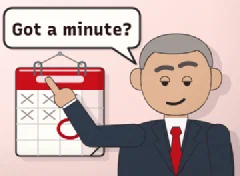
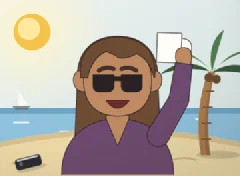
Got a minute? is the manager’s calendar invite. If you hold an Out of office when you draw it, you’re safe. You then hide the invite back in the in-tray, wherever you like. Put it on top if you’re feeling mean.
The cards that keep you safe
Most action cards let you skip your draw or see what’s coming.
- Delegate skips your draw and gives the next player two turns. Voluntold does the same to a player you pick.
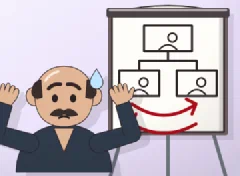
- Long lunch ends your turn without taking a card. Circle back does that too, and flips the turn order.
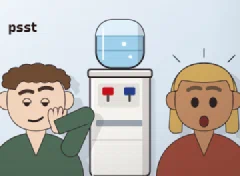
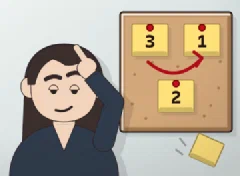
- Water cooler shows you the top three cards. Reprioritize shows them too, and you put them back in any order.
- Oldest email first gives you the bottom card instead of the top one. Reorg shuffles the in-tray.
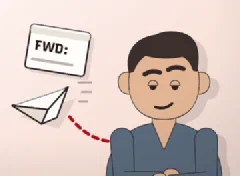
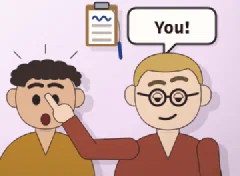
- Cover for me makes someone give you a card. Per my last email stops a card someone just played, at any time.
Good to know
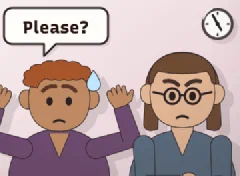
- A turn has a minute on the clock. After a card is played, the others get 5 seconds to answer it with Per my last email.
- Any player can pick Relaxed in the lobby, and then every clock runs ten times as long.
- With the Answer attacks for me switch on, a card played at you gets one Per my last email from your hand, by itself.
Playing with your team
Open a table and send the link
The host presses Open a table for my team, then Invite coworkers to send the link. When at least two people have sat down, the host presses Deal the cards. With only two, bots take the other three seats.
Bots for the empty chairs
Gary, Pam, Trevor and the others play when your team won’t. The Play against bots button seats three of them with you. In the lobby, the host can press Add a bot or Send a bot home. A bot that knows the invite is on top dodges the draw.
Questions about Got a Minute?
How many people can play Got a Minute?
Two to five play at one table. If only two sit down, bots take the other three chairs. You can also play alone against three bots.
Do I need an account to play?
No, you type a name and get a table code. The server keeps the table only while someone is at it, and saves nothing after.
What happens if I close the tab mid-game?
Your seat waits for you. If your turn runs out, the game takes a card for you, so nobody waits forever.
Is this Exploding Kittens?
No, but it plays by the same kind of rules, with our own cards plus five kinds of card from the first expansion. A few cards in the deck get you fired. An Out of office saves you once.
Can we play with a slower clock?
Yes, anyone at the table can pick Relaxed before the deal. Every clock then runs ten times longer, so ten minutes a turn and 50 seconds to answer a card.
What is a good card game for team building?
Got a Minute? works for a team of 2 to 5, played live in the browser from one invite link. Each turn you draw from the in-tray and hope it isn't the manager's invite. Bots fill the empty chairs, so nobody waits for a fifth player.